FabFilter Micro is a simple low-pass filter plugin built for fast sweeps, quick tone shaping, and clean transitions without distractions. It is the kind of tool you throw on a loop, sample, synth, or full beat when you want a smooth cutoff move, a muffled intro, or a quick build-up effect. Micro keeps things minimal with one main filter control and a great-sounding resonant character, which is why producers like it for speed. FabFilter Micro is also included in the FabFilter Total Bundle.
🎛️ What’s Inside
| Module / Feature | What it does | Perfect for |
|---|
| One-Knob Low-Pass Filter | A fast low-pass filter designed for quick cutoff sweeps and tone shaping without extra parameters. | Build-ups, intros, transitions, smoothing samples, quick tone cleanup. |
| Resonant Filter Character | Adds a musical resonant peak for classic filter movement, making sweeps feel alive instead of flat. | EDM sweeps, hip hop sample filtering, synth motion, lo-fi textures. |
| Smooth Automation | Designed to automate cleanly so you can do filter moves without zipper noise or awkward jumps. | Transitions, drops, breakdowns, live performance style filter sweeps. |
| Lightweight CPU Use | Minimal controls and efficient processing make it easy to use across many tracks. | Large sessions, quick edits, multiple loops and sample layers. |
| Clean Stereo Processing | Filters stereo sources smoothly and keeps the movement consistent for wide sounds. | Stereo loops, pads, synth busses, drum busses, full mix sweeps. |
| Simple Producer Workflow | You get a clean filter sound with no menu diving, perfect when you just want the move. | Quick ideas, beatmaking, live automation, fast arrangement work. |
🎯 Why Producers Choose It
💡 Key Benefits
- Fast filter sweeps for intros, transitions, and build-ups.
- One knob workflow that keeps you moving while producing.
- Musical resonance that makes automation feel alive.
- Low CPU so you can drop it on multiple tracks easily.
- Works in any DAW as a VST, VST3, AU, AAX, or CLAP audio plugin.
🎨 Best Use Cases
- Low-pass filtering a beat intro so the drop hits harder.
- Sweeping down samples for lo-fi moments in hip hop and RnB.
- Filtering synth chords in EDM builds and breakdowns.
- Automating pads and textures for cinematic movement.
- Quickly smoothing harsh highs on loops without complex EQ.
Standout feature: Micro keeps filtering simple with a one-knob low-pass design and musical resonance, making it perfect for fast automation moves that help your arrangement breathe.
📋 Technical Specs
| Plugin Formats | VST, VST3, AU, CLAP, AAX Native, 64 bit |
| Windows Requirements | Windows 11, 10, 8, 7 or Vista, 32 bit or 64 bit, VST 2/3 or CLAP host, or Pro Tools |
| macOS Requirements | macOS 10.13 or higher, 64 bit only, AU, VST 2/3 or CLAP host, or Pro Tools, Apple Silicon or Intel |
| CPU Load | Low (designed to stay lightweight for multiple instances) |
| Tested DAWs | Ableton Live 11 and 12, Logic Pro, FL Studio 21+, Cubase 13, Studio One 6+, Reaper, Pro Tools 2024+ |
| Apple Silicon Native | Yes, native support for Apple Silicon M1 to M4 on supported macOS systems |
✅ Instant Download – fast digital delivery via ShopAllPlugins
✅ License – FabFilter Micro activation
✅ Content – one-knob low-pass filter with musical resonance for smooth sweeps and quick tone shaping
✅ Workflow – fast transitions, intros, lo-fi filtering, and automation moves inside your DAW
💡 Pro Tip
To make a drop feel bigger, automate Micro on your full beat bus in the build-up and slowly open the cutoff right before the downbeat. Keep the resonance low for clean movement, or push it a bit if you want that classic filter whistle energy.
❓ FAQ
What is FabFilter Micro
FabFilter Micro is a simple low-pass filter plugin designed for quick sweeps, transitions, and tone shaping in music production.
Does Micro work natively on Apple Silicon M1 M2 M3 M4
Yes, Micro supports native Apple Silicon M1 to M4 on supported macOS systems.
Will FabFilter Micro work in my DAW
If your DAW supports VST, VST3, AU, AAX, or CLAP, you can use Micro in Ableton Live, Logic Pro, FL Studio, Cubase, Studio One, Reaper, and Pro Tools.
Is Micro only for electronic music
No, it works for any genre. It is great for filtering intros, smoothing samples, and shaping tone in pop, hip hop, rock, EDM, and cinematic music.
Can I automate Micro smoothly
Yes, Micro is designed for smooth automation, making it great for filter sweeps and transition effects without unwanted artifacts.
🏁 Final Word
FabFilter Micro is for producers who want a fast filter move without overthinking. If you need quick low-pass sweeps, easy transitions, and clean tone shaping with low CPU use in any DAW, Micro is a simple tool that gets used more than you expect.











 Immediate Digital Delivery
  Reliable Customer Service
  Secure Payments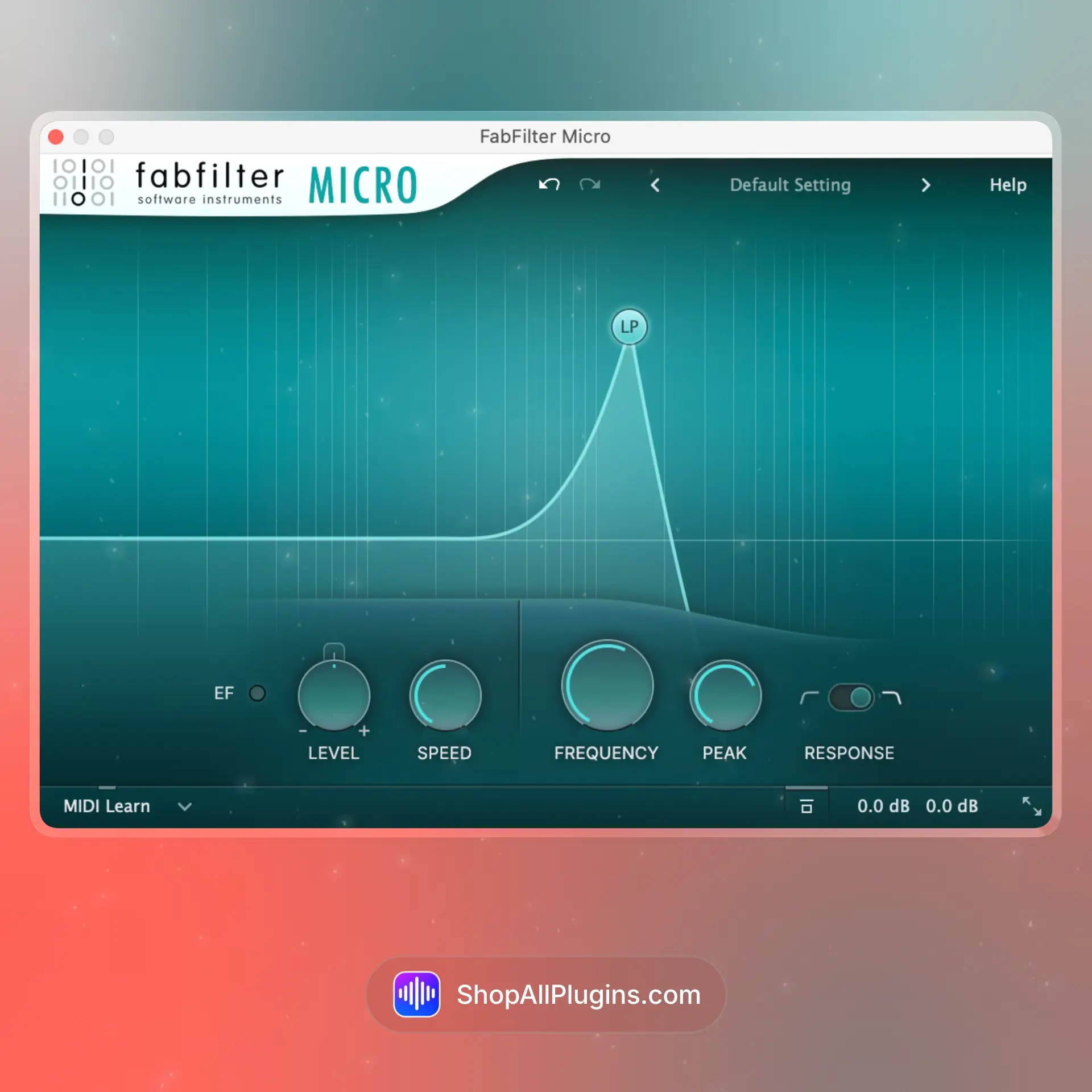











Reviews
Clear filtersThere are no reviews yet.