iZotope VEA – Voice Enhancement Assistant is a focused AI-powered vocal processing plugin that helps podcasters, streamers, voiceover artists, singers, and content creators get clean, clear, and consistent voice sound in seconds. Simple controls, studio-quality polish, and reliable results inside any major DAW.
🎙️ What’s Inside This Plugin?
| Control / Module | What It Does | Perfect For |
|---|
| 🧼 Clean | Reduces steady background noise and room distractions using technology inspired by RX | Hiss, hum, AC noise, gentle room tone |
| 🎚 Shape | AI-guided tone control that balances lows, mids, and presence | Clarity for narration, podcast presence, modern vocal tone |
| 🔊 Boost | Levels and dynamics sweetening for fuller, more consistent loudness | Live streams, interviews, YouTube voice, quick “radio-ready” vibe |
🧼 Clean
What it does: Noise reduction and de-hiss tuned for speech
Perfect for: Home studios, untreated rooms, remote calls
🎚 Shape
What it does: Smart tone control for clarity and presence
Perfect for: Podcasts, narration, voiceovers
🔊 Boost
What it does: Dynamics and level lift for steady loudness
Perfect for: Livestreams and quick voice polish
🎯 Why Creators Love VEA
VEA focuses on the essentials: cleaner voice, clear tone, and dependable level with only a few controls. It’s quick to set up, light on CPU, and consistent across different mics and rooms—so you spend less time tweaking and more time recording.
💚 What Makes It Useful
- Fast vocal polish with three intuitive controls
- Natural-sounding cleanup that keeps the voice character intact
- Reliable loudness for streams, podcasts, and uploads
- Works in any major DAW or video editor that supports plugins
- Preset starting points for common voice styles
🎨 Perfect For These Uses
- Podcasts & interviews — clearer speech and steady levels
- Streaming & gaming — quick on-mic polish without menus
- Voiceover & ads — broadcast-ready presence
- YouTube & tutorials — consistent sound across videos
- Singing tracks — simple cleanup before your main vocal chain
📋 Technical Stuff (Quick Specs)
| 💻 Plugin Formats | VST3, AU, AAX — 64-bit |
| 🖥️ Windows | Windows 10 or Windows 11 |
| 🍎 macOS | macOS 12+ (Monterey or later), Apple Silicon and Intel supported |
| 🎵 DAWs & Hosts | Works great in Logic Pro, Ableton Live, FL Studio, Pro Tools, Cubase, Studio One, Reaper, and other VST3/AU/AAX hosts |
🚀 What You Get Right Now
✅ Instant Download — start polishing your voice immediately
✅ Lifetime License — buy once, use forever
✅ Free Updates — improvements included
✅ Technical Support — help when you need it
💡 Pro Tip
Load VEA on your voice track, set Clean until the noise disappears naturally, use Shape to add clarity and presence, then nudge Boost for a steady level. Most creators get a polished result in under a minute.
🎧 Built by the makers of RX, Ozone, and Nectar, VEA delivers dependable, studio-grade speech polish with a workflow that stays out of your way.
❓ FAQ
Is iZotope VEA a VST/AU/AAX plugin?
Yes. It installs as VST3, AU, and AAX (64-bit) for use in compatible hosts.
Will it work in my DAW?
If your DAW supports VST3, AU, or AAX on modern macOS or Windows, you’re good. Popular options like Logic, Ableton, FL Studio, Pro Tools, Cubase, Studio One, and Reaper are supported.
Can it remove heavy room echo?
VEA reduces noise and shapes tone. For strong room echo or complex issues, pair it with dedicated tools in your workflow.
Is it only for talking voices?
No. Many users apply VEA as a quick cleanup step on sung vocals before their main vocal chain.
Does it use a lot of CPU?
It’s designed to be efficient, so it fits comfortably in live streams and standard sessions.
🏁 Final Word
If you want clean, present, and steady vocal sound without a complicated setup, iZotope VEA fits right into your DAW and gets you there fast—ideal for podcasts, voiceovers, streams, and vocals.













 Immediate Digital Delivery
  Reliable Customer Service
  Secure Payments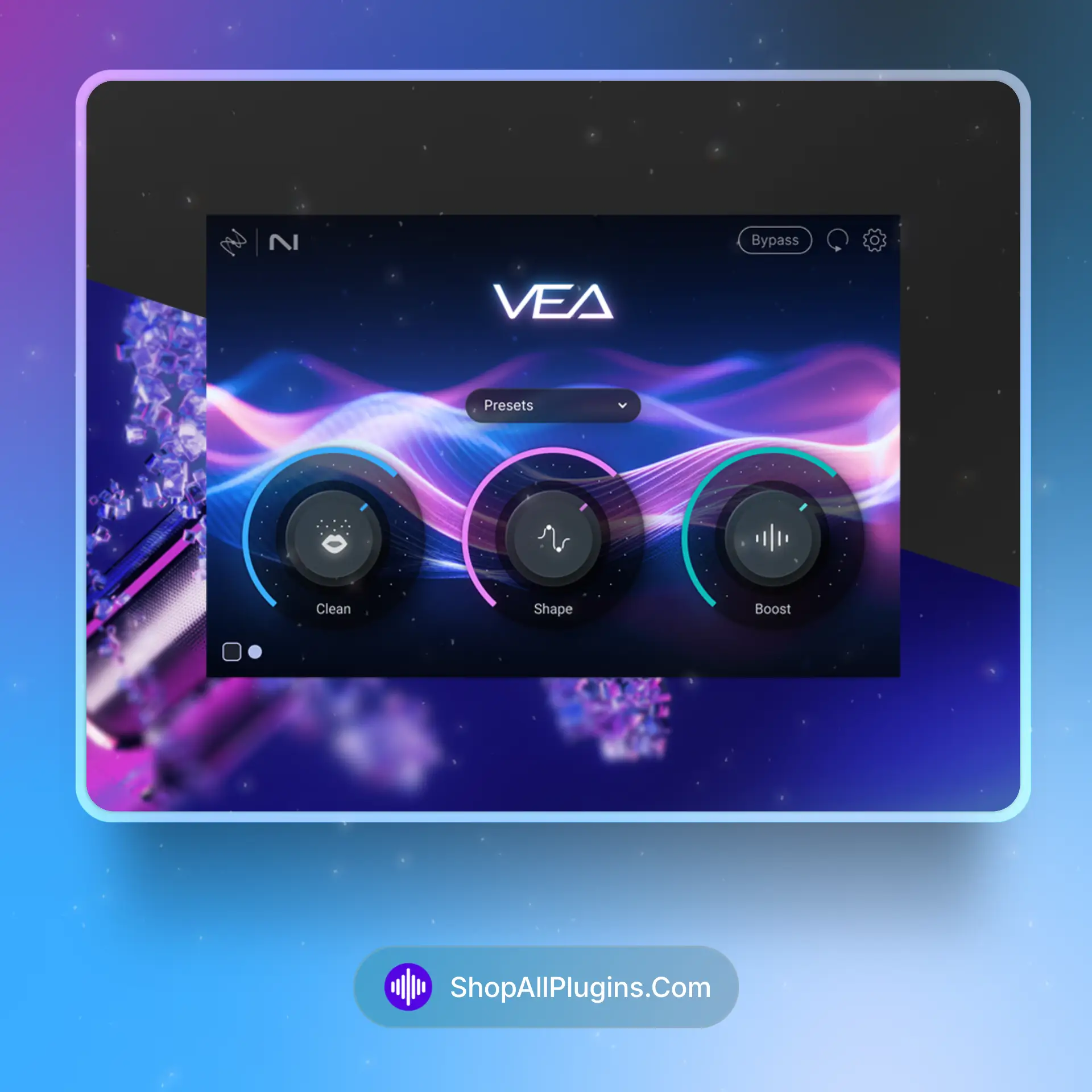













Reviews
Clear filtersThere are no reviews yet.