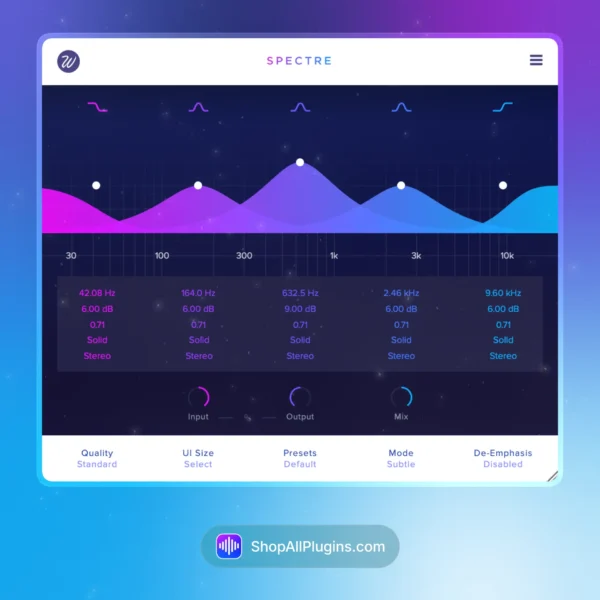
Wavesfactory Spectre is a multiband enhancer and saturation plugin that works like a graphical EQ, but instead of only boosting volume, it adds harmonic content exactly where you place the bands. It is a go-to for making dull vocals feel brighter, helping bass translate on small speakers, adding density to drums, and doing clean mastering-style enhancement without harshness.
🎛️ What’s Inside
| Module / Feature | What it does | Perfect for |
|---|
| 5-Band Parallel Enhancer | Runs your audio through a five-band parallel EQ, extracts the difference from the dry signal, then enhances each band with saturation. | Targeted enhancement, mix clarity, mastering polish, bringing life to dull recordings. |
| Frequency-Specific Saturation | Add harmonics only where you need them, instead of saturating the whole signal and risking mud or harshness. | Vocal presence, bass audibility, drum bite, instrument definition. |
| 10 Saturation Algorithms | Choose from multiple analog-inspired saturation flavors to match the source, from smooth warmth to more forward harmonic edge. | Tone shaping, color on busses, mastering enhancement, creative saturation. |
| Graphical EQ Workflow | Feels like using a classic parametric EQ, making it fast to set up and easy to understand. | Quick mix decisions, fast mastering touches, beginner-friendly enhancement. |
| Mid/Side Matrix | Enhance the mid or the sides to add sparkle, width, and separation without pushing the whole stereo image. | Stereo widening tricks, mastering, adding shine to the sides, vocal clarity in the center. |
| Oversampling Options | Optional oversampling helps keep enhancement smooth and controlled when you push harder drive settings. | Mastering chains, high-frequency enhancement, clean saturation at higher intensity. |
🎯 Why Producers Choose It
💡 Key Benefits
- Add harmonics where it matters instead of saturating the whole mix.
- EQ-style workflow that is fast, familiar, and easy to automate.
- Great for mastering when you want more detail without harshness.
- Mid/side enhancement for controlled width and stereo clarity.
- Works in any DAW as a VST, VST3, AU, or AAX audio plugin.
🎨 Best Use Cases
- Adding presence to vocals without making sibilance worse.
- Helping bass and 808s translate on small speakers by adding harmonics above the sub.
- Making drums feel more defined and punchy without heavy compression.
- Enhancing the sides for width while keeping the center clean.
- Mix bus and mastering enhancement for pop, hip hop, EDM, rock, and cinematic music.
Standout feature: Spectre processes the difference between your dry signal and a five-band EQ signal, then saturates only the parts you choose, giving you controlled harmonic enhancement that feels more like production polish than obvious distortion.
📋 Technical Specs
| Plugin Formats | VST, VST3, AU, AAX, 64 bit |
| Windows Requirements | Windows 7 or later, 64 bit |
| macOS Requirements | macOS 10.9 or later, 64 bit, Intel or Apple Silicon |
| CPU Load | Low to medium (can increase with oversampling and multiple active bands) |
| Tested DAWs | Ableton Live 11 and 12, Logic Pro, FL Studio 21+, Cubase 13, Studio One 6+, Reaper, Pro Tools 2024+ |
| Apple Silicon Native | Yes, native support for Apple Silicon M1 to M4 on supported macOS systems |
✅ Instant Download – fast digital delivery via ShopAllPlugins
✅ License – Wavesfactory Spectre activation
✅ Content – five-band enhancer with frequency-specific saturation, 10 algorithms, mid/side processing, oversampling, and presets
✅ Workflow – add clarity, width, and harmonic detail for mixing and mastering inside your DAW
💡 Pro Tip
If your bass disappears on small speakers, add a Spectre band around 700 Hz to 2 kHz and use a gentle saturation style. You will hear the bass better without turning it up or messing up the sub.
❓ FAQ
What is Wavesfactory Spectre
Wavesfactory Spectre is a multiband enhancer and saturation plugin that adds harmonic content to specific frequency ranges using a graphical EQ-style workflow.
Does Spectre work natively on Apple Silicon M1 M2 M3 M4
Yes, Spectre supports native Apple Silicon M1 to M4 on supported macOS systems.
Will Spectre work in my DAW
If your DAW supports VST, VST3, AU, or AAX 64 bit, you can use Spectre in Ableton Live, Logic Pro, FL Studio, Cubase, Studio One, Reaper, and Pro Tools.
Is Spectre an EQ or a saturation plugin
It behaves like an EQ in workflow, but its main job is adding harmonics and enhancement rather than only boosting volume like a traditional EQ.
Can Spectre be used on the mix bus or for mastering
Yes, Spectre is commonly used on busses and the master for controlled enhancement, especially when you use gentle bands and optional oversampling for clean results.
🏁 Final Word
Wavesfactory Spectre is for producers and engineers who want a clean way to add harmonic life and clarity without making the mix harsh. If you like the speed of an EQ but want enhancement that feels more like polish, Spectre is a smart tool for vocals, drums, bass, and mastering in any DAW.












 Immediate Digital Delivery
  Reliable Customer Service
  Secure Payments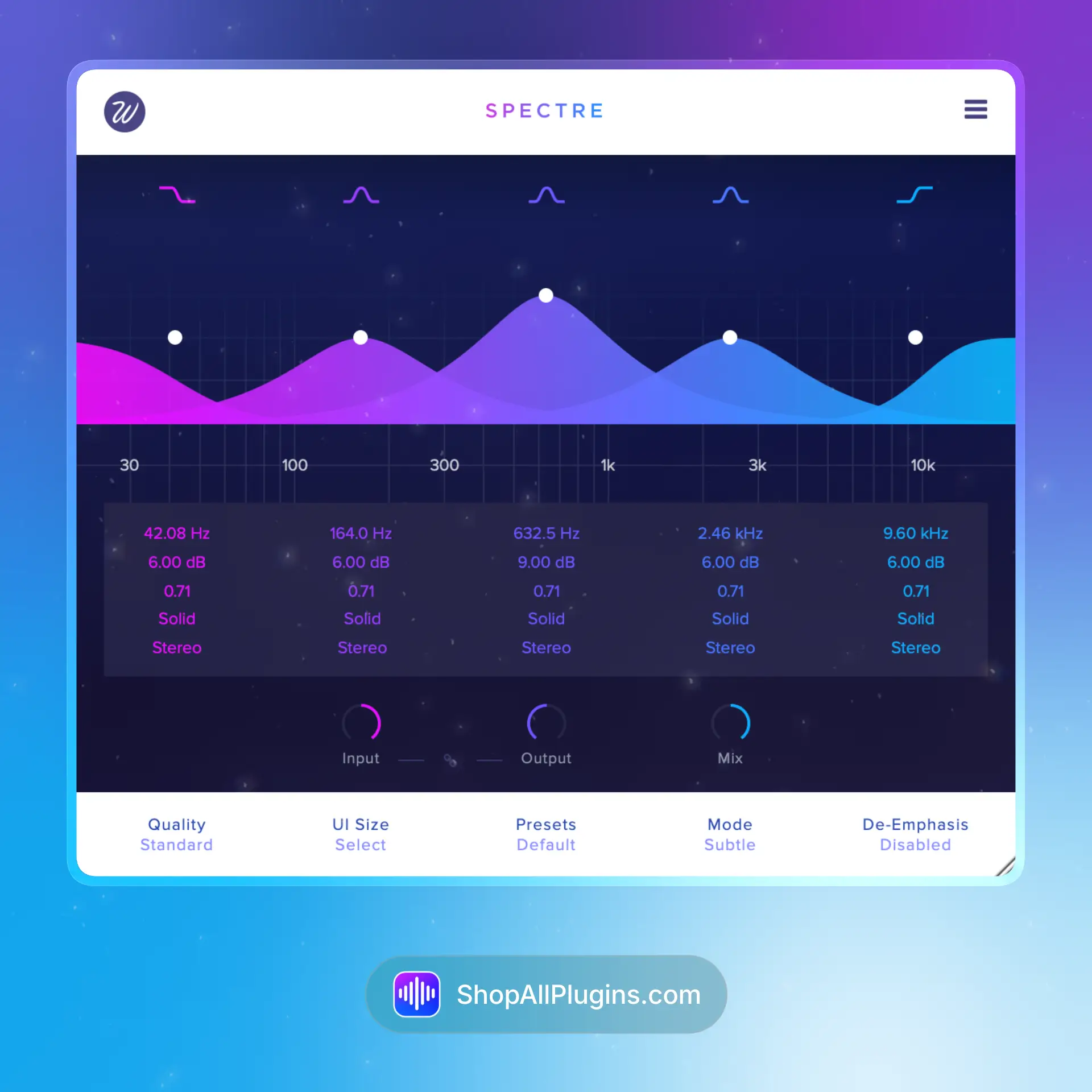











Reviews
Clear filtersThere are no reviews yet.