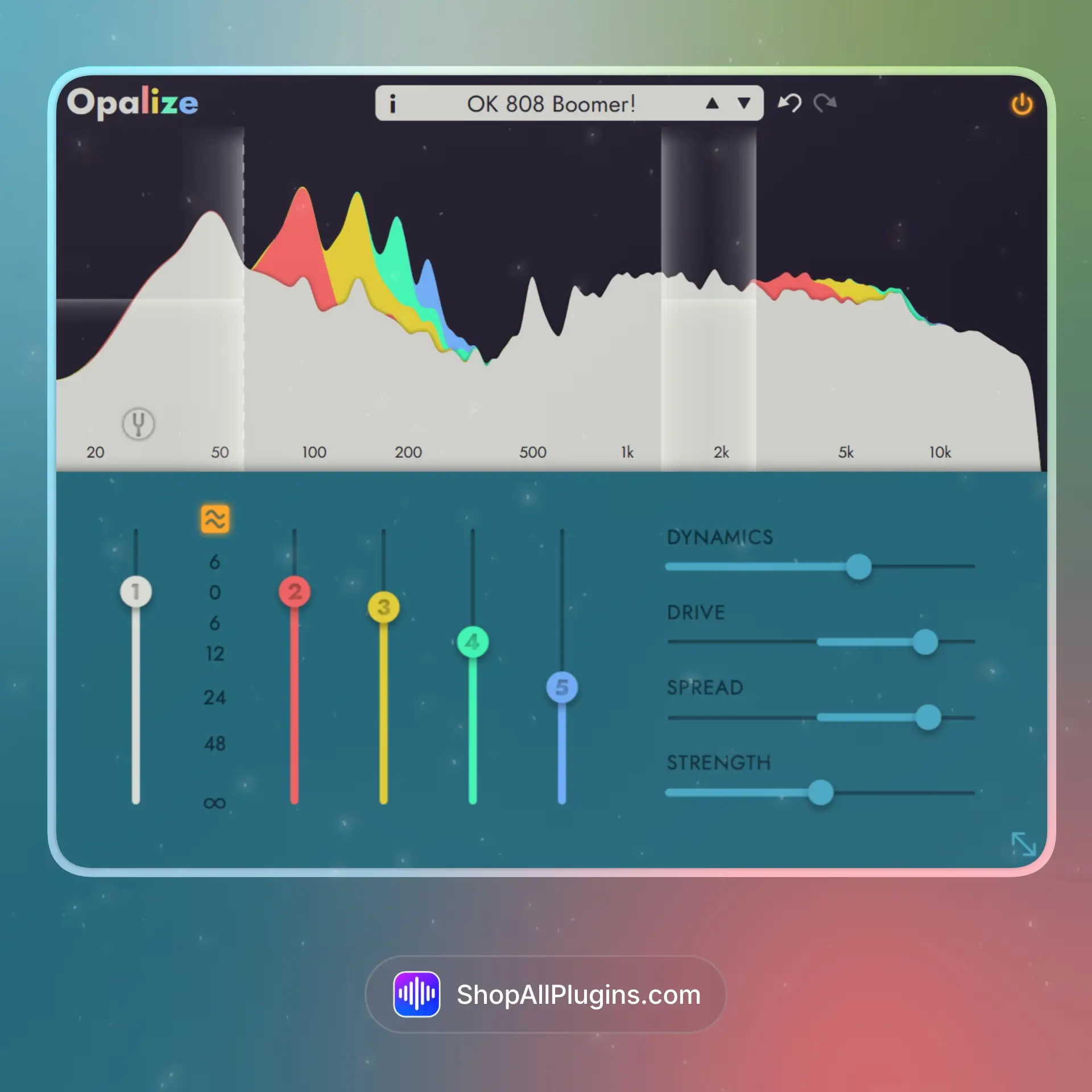
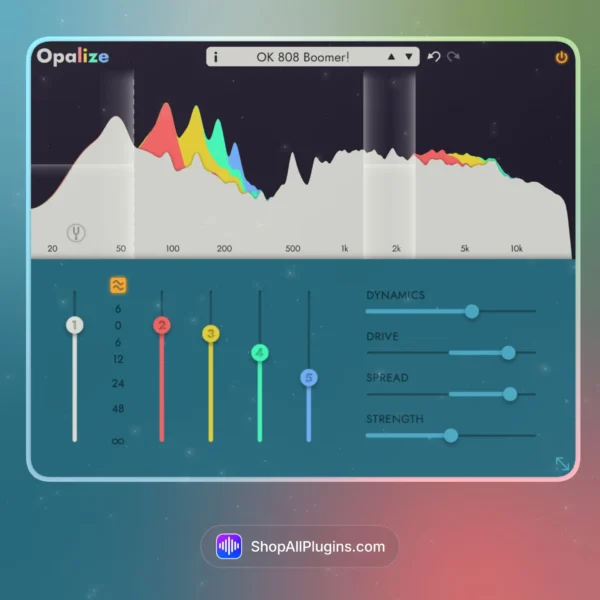
Apulsoft Opalize is a harmonics generation plugin that adds 2nd through 5th order harmonics to any signal with dynamics-independent processing, letting you enhance bass, add punch to drums, and help synths cut through a mix without introducing harsh distortion or DC offset issues. Unlike traditional saturation or distortion plugins, Opalize processes up to four parallel frequency bands simultaneously and includes a unique pitch-tracking mode that follows monophonic fundamentals in real time, making it perfect for adding warmth, presence, and character to individual tracks or full mixes.
🎛️ What’s Inside
| Module / Feature |
What it does |
Perfect for |
| Dynamics-Independent Harmonics |
Generates harmonics that follow the original dynamics down to the sample level, maintaining natural transient response without compression artifacts. |
Preserving punch in drums, keeping vocal dynamics intact, transparent bass enhancement. |
| 2nd to 5th Harmonics |
Add even and odd order harmonics anywhere in the frequency range for warmth, presence, or aggressive character. |
Thickening bass, adding snap to snares, making synths more present, vocal warmth. |
| Four Parallel Frequency Bands |
Process up to four independent frequency bands simultaneously with different harmonic settings for surgical control. |
Enhancing kick sub without affecting mids, adding high end sparkle, multiband saturation. |
| Pitch-Tracking Mode |
One band can follow the monophonic fundamental frequency and automatically adjust a low-pass filter in real time. |
Bass guitar enhancement, vocal processing, monophonic synth leads, melodic instruments. |
| DC-Offset Free Processing |
Generates even-order harmonics without introducing DC offset problems that can cause headroom and phase issues. |
Clean mastering chain processing, mix bus enhancement, professional production workflows. |
| Low-Pass and Band-Pass Filters |
Built-in filters help isolate fundamental tones for optimal harmonic shaping on complex signals. |
Cleaning up broadband material, focusing on specific frequency ranges, surgical enhancement. |
✅ Instant Download – premium digital delivery via ShopAllPlugins
✅ License – official Apulsoft Opalize activation
✅ Content – dynamics-independent harmonics generator with multiband processing and pitch tracking
✅ Workflow – four parallel frequency bands, 2nd to 5th harmonics, clean even-order processing
On a bass track, enable pitch-tracking mode on one band and set it to add 2nd and 3rd harmonics. This will follow the bass line and add sub-harmonic weight that stays tight and focused as the notes change, without the muddiness that comes from static multiband saturation.
What is Apulsoft Opalize used for
Opalize is used for adding harmonics to audio signals with dynamics-independent processing, perfect for enhancing bass, drums, vocals, synths, and full mixes without compression artifacts or harsh distortion.
Does Opalize work natively on Apple Silicon M1 M2 M3 M4
Yes, Opalize supports native Apple Silicon M1, M2, M3, and M4 processors on macOS.
How is Opalize different from traditional saturation plugins
Opalize generates harmonics that follow the original dynamics down to the sample level, so you get warmth and presence without the compression, pumping, or transient smearing that comes with traditional saturation or distortion.
What is the pitch-tracking mode
Pitch-tracking mode allows one frequency band to follow the monophonic fundamental frequency of your input signal and automatically adjust a low-pass filter in real time, making it perfect for bass, vocals, and melodic instruments.
Can I use Opalize on a mix bus
Yes, Opalize works great on mix buses and mastering chains for adding analog-style harmonic richness without DC offset or phase problems.
What DAWs are compatible with Opalize
Opalize works in any DAW that supports VST3, AU, or AAX plugins in 64 bit, including Ableton Live, Logic Pro, FL Studio, Cubase, Studio One, Pro Tools, and Reaper.












 Immediate Digital Delivery
 Reliable Customer Service
 Secure Payments















Reviews
Clear filtersThere are no reviews yet.