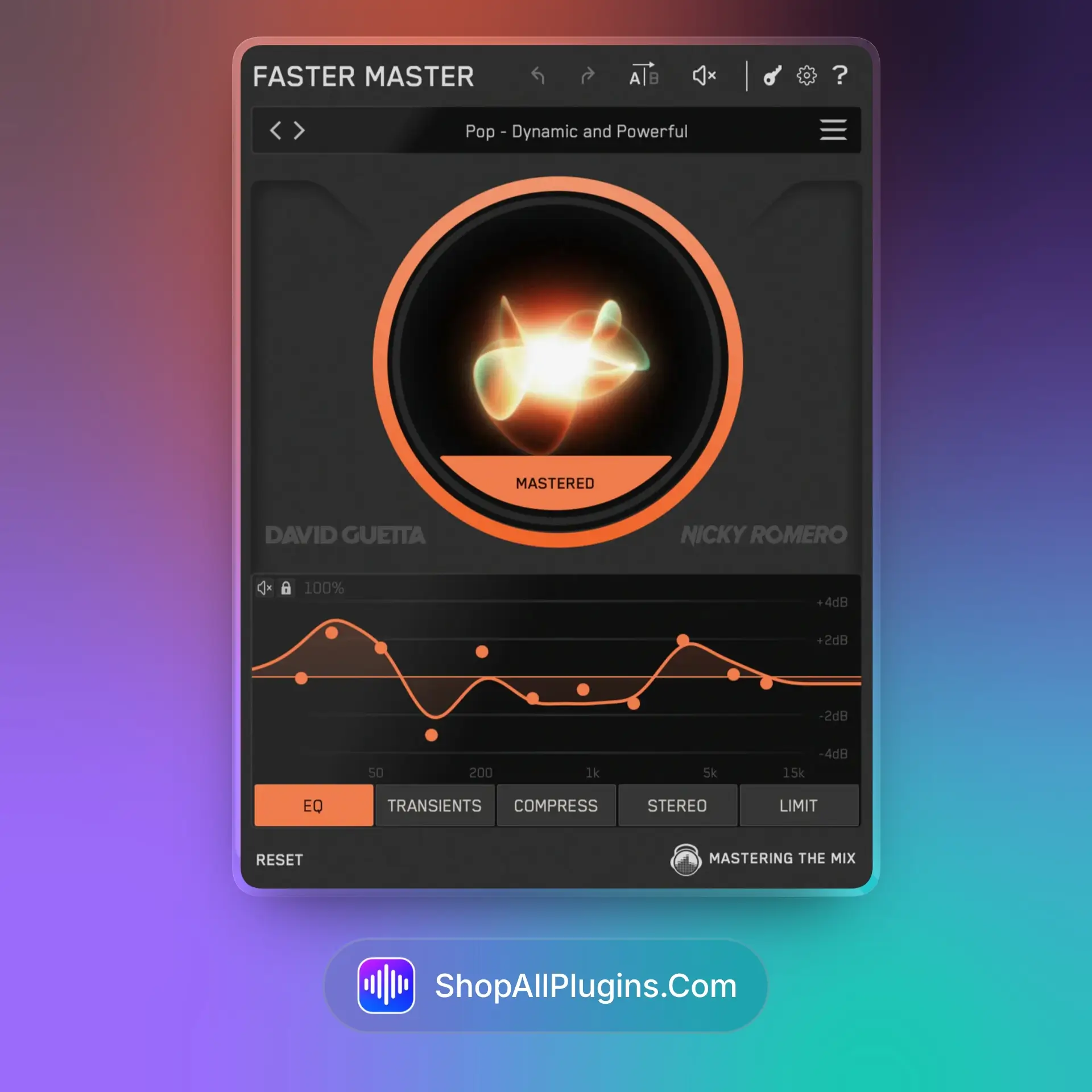
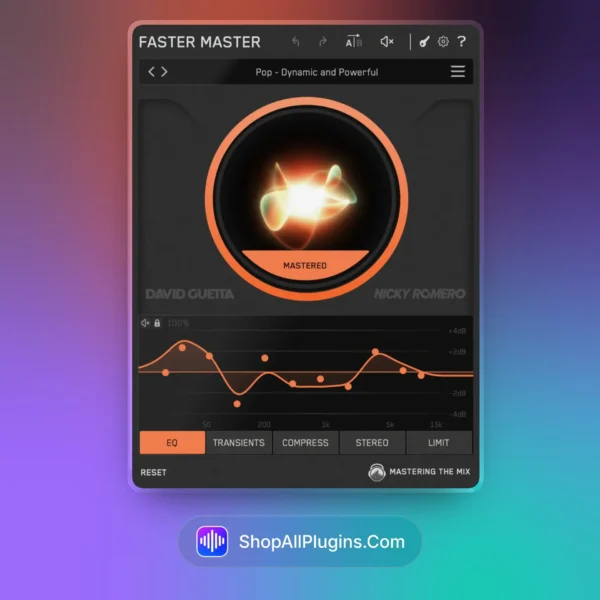
Faster Master is an intelligent mix referencing and workflow optimization plugin designed to help producers, mix engineers, and mastering engineers make faster, more confident decisions by instantly comparing their mixes against professional reference tracks. Featuring loudness-matched A/B referencing, tonal balance analysis, stereo imaging comparison, low-end inspection, dynamic range feedback, and clear visual guidance, FASTER removes guesswork from the mixing process and helps your music translate better across headphones, studio monitors, cars, phones, clubs, and streaming platforms.
🎛️ What’s Inside
| Feature |
What It Does |
Perfect For |
| 🎵 Reference Track Comparison |
Lets you compare your mix against professional tracks with a clear, fast A/B workflow. |
Mixing, mastering, checking commercial quality. |
| 🔊 Loudness Matching |
Matches playback levels so you can compare your mix fairly without louder tracks sounding automatically better. |
Accurate referencing, mastering decisions, final mix checks. |
| 📊 Tonal Balance Analysis |
Shows how your frequency balance compares to reference tracks across lows, mids, and highs. |
EQ decisions, fixing muddy mixes, controlling harshness. |
| 🌐 Stereo Width Comparison |
Helps you check how wide or narrow your mix feels compared to professional releases. |
Stereo imaging, width control, mono compatibility. |
| 🎚️ Low-End Inspection |
Highlights bass and sub-frequency differences so you can quickly spot weak, boomy, or unbalanced low end. |
EDM, Hip-Hop, Pop, Trap, House, cinematic music. |
| ⚡ Fast Visual Feedback |
Gives quick visual clues so you can identify mix problems without wasting hours second-guessing. |
Faster workflow, client revisions, final polish. |
🎯 Why Producers Choose It
💡 Key Benefits
- Faster mix decisions without endless guessing.
- Loudness-matched referencing for fair A/B comparison.
- Clear visual feedback for tonal balance, stereo width, and dynamics.
- Better translation across headphones, monitors, cars, phones, and streaming platforms.
- Useful for both mixing and mastering workflows.
🎨 Best Use Cases
- Comparing your mix against commercial reference tracks.
- Checking low-end balance before final export.
- Improving stereo width and mix translation.
- Finding harsh, muddy, or weak frequency areas.
- Preparing tracks for streaming, clients, labels, or release.
Standout feature: FASTER turns reference tracks into actionable mix guidance. Instead of only switching between your song and a professional track, it helps you see where your mix differs in tonal balance, stereo width, low-end energy, and dynamics, making it easier to fix problems quickly and make confident decisions.
📋 Technical Specs
| 💻 Plugin Formats |
VST3, AU, AAX |
| 🖥️ Windows |
Windows 10 or later, 64-bit |
| 🍎 Mac |
macOS 11 or later |
| 🚀 Apple Silicon |
Supports Apple Silicon M1, M2, M3, and M4 systems |
| 🎵 Compatible DAWs |
Ableton Live, Logic Pro, FL Studio, Cubase, Studio One, Reaper, Pro Tools, and other major DAWs |
| ⚙️ CPU Load |
Low |
| 🎚️ Category |
Mix Referencing, Analysis, Mastering Workflow |
🚀 What You Get Right Now
✅ Instant Download – premium digital delivery via ShopAllPlugins
✅ License – official Mastering The Mix FASTER activation
✅ Content – reference comparison, tonal balance, stereo width, low-end and dynamics feedback
✅ Workflow – faster mix decisions, better translation, cleaner final checks
💡 Pro Tip
Load three reference tracks from the same genre instead of relying on only one. This helps you identify consistent mix targets across multiple professional releases, instead of chasing the exact sound of a single song that may not fit your production.
❓ FAQ
What is Mastering The Mix FASTER
Mastering The Mix FASTER is a mix referencing and analysis plugin that helps producers compare their music against professional tracks using loudness matching, tonal balance feedback, stereo imaging comparison, low-end inspection, and visual mix guidance.
Does FASTER process or change my audio automatically
No, FASTER is not an automatic mixing plugin. It gives you clear visual feedback and reference comparison tools so you can make better mixing and mastering decisions yourself.
Is FASTER useful for mastering
Yes, FASTER is useful during mastering because it helps you compare your track against commercial releases for loudness, tonal balance, stereo width, low-end control, and overall translation.
Can FASTER help my mixes sound better on different speakers
Yes, FASTER helps improve translation by showing where your mix differs from professional references, making it easier to fix issues that may sound bad on headphones, cars, phones, monitors, or club systems.
Does FASTER work with all music genres
Yes, FASTER works with any genre including EDM, Hip-Hop, Pop, Rock, Trap, House, Techno, R&B, cinematic music, and electronic production.
Which DAWs support Mastering The Mix FASTER
FASTER works in major DAWs that support VST3, AU, or AAX plugins, including Ableton Live, Logic Pro, FL Studio, Cubase, Studio One, Reaper, and Pro Tools.
🏁 Final Word
Mastering The Mix FASTER is a practical workflow tool for producers and engineers who want quicker, more confident mixing and mastering decisions. By combining loudness-matched reference comparison, tonal balance analysis, stereo width inspection, low-end checking, and clear visual feedback, it helps you understand exactly how your track compares to professional releases. If you want to reduce guesswork, improve translation, and finish better-sounding mixes faster, FASTER is a strong addition to any modern production setup.
🔗 You Might Also Like
If you are interested in Mastering The Mix FASTER, check out these related tools on ShopAllPlugins:












 Immediate Digital Delivery
 Reliable Customer Service
 Secure Payments








Reviews
Clear filtersThere are no reviews yet.