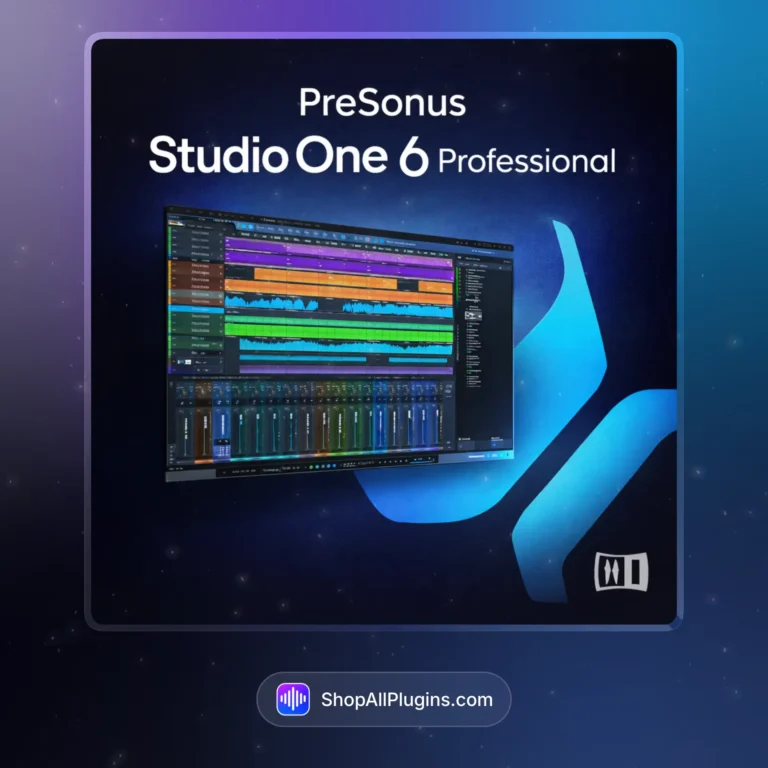
PreSonus Studio One Pro 7 is a full modern digital audio workstation (DAW) for recording, beatmaking, editing, mixing, mastering, and live performance. If you want one clean workflow that moves fast from idea to finished master, Studio One Pro 7 is built to stay out of your way while giving you serious tools for music production, mixing, mastering, and sound design.
🎛️ What’s Inside
| Module / Plugin |
What it does |
Perfect for |
| Recording and Editing |
Multitrack recording with fast editing tools, comping, timing cleanup, and workflow shortcuts that keep sessions moving. |
Vocals, guitars, bands, podcasts, voiceover, tracking and punch-ins. |
| Launcher and Loop-Based Production |
A clip-style workflow for building patterns, trying arrangements, and moving ideas into the timeline without breaking momentum. |
Beatmaking, EDM, hip hop, pop, live sets, fast arrangement building. |
| Deep Flight One Instrument |
A soundscape-focused virtual instrument designed for textured pads, atmospheric layers, and modern cinematic style tones. |
Ambient, cinematic, trap intros, pop layers, soundtrack moods. |
| Built-In Effects and Mixing Tools |
A full set of native processing tools for EQ, compression, saturation, modulation, delay, reverb, and bus mixing, designed for fast decisions. |
Mixing, vocal chains, drum buses, creative sound design, mastering prep. |
| Mastering and Release Workflow |
Integrated project-style mastering tools that help you finalize tracks, build sequences, and keep mixes and masters connected. |
Singles, EPs, album sequencing, quick revisions, mastering workflows. |
| Notation and Composition Tools |
Integrated notation features for writing parts, printing scores, and working with musicians without leaving your DAW workflow. |
Composers, film scoring, session musicians, arranging strings and horns. |
| Dolby Atmos and Immersive Audio |
Tools for creating immersive mixes and working in modern surround and spatial workflows in supported setups. |
Immersive mixing, soundtrack work, modern delivery formats, spatial sessions. |
🎯 Why Producers Choose It
💡 Key Benefits
- One DAW for everything from recording to mastering to performance.
- Fast workflow with drag-and-drop style editing and creative tools that keep you writing.
- Solid included instruments and effects for producing without relying on extra plugins.
- Integrated mastering that keeps your mix and final release connected.
- Great for modern production with clip launching, pattern workflow, and immersive options.
🎨 Best Use Cases
- Recording vocals and instruments for pop, rock, and singer-songwriter projects.
- Beatmaking and arranging for hip hop, EDM, and electronic music.
- Mixing and mastering inside one system without bouncing between apps.
- Building live performance sets using clip launching and flexible arrangement tools.
- Composing and printing parts for musicians using integrated notation.
Standout feature: Studio One Pro 7 combines a full recording and mixing DAW with clip launching, integrated mastering, and built-in notation, so you can write, arrange, finish, and deliver projects in one tight workflow.
📋 Technical Specs
| Plugin Formats |
Standalone DAW (includes built-in effects and instruments), supports VST3, AU, AAX plug-ins |
| Windows Requirements |
Windows 10 (64 bit) or Windows 11 (64 bit), compatible Intel or AMD CPU, 8 GB RAM minimum (16 GB recommended), approx. 40 GB free disk space, internet required for installation and activation |
| macOS Requirements |
macOS 12.4 or later, Intel or Apple Silicon, 8 GB RAM minimum (16 GB recommended), approx. 40 GB free disk space, internet required for installation and activation |
| CPU Load |
Medium (depends on buffer size, oversampling in plug-ins, virtual instruments, and mix complexity) |
| Tested DAWs |
Ableton Live 11 and 12, Logic Pro, FL Studio 21+, Cubase 13, Studio One 6 and 7, Reaper |
| Apple Silicon Native |
Yes, native support for Apple Silicon M1 to M4 on supported macOS systems |
✅ Instant Download – fast digital delivery via ShopAllPlugins
✅ License – PreSonus Studio One Pro 7 activation
✅ Content – full DAW with instruments, effects, creative tools, mastering and notation workflow
✅ Workflow – quick writing, clean editing, and professional mixing and mastering inside one session
💡 Pro Tip
When you are building a track fast, start in the Launcher to sketch the groove and sections, then drag those clips into the timeline to finish the arrangement. Once the mix is close, switch into the mastering workflow so revisions stay connected without manual exporting.
❓ FAQ
What is PreSonus Studio One Pro 7
Studio One Pro 7 is a professional digital audio workstation for recording, producing, mixing, mastering, and performing music, with integrated instruments, effects, and creative workflow tools.
Does PreSonus Studio One Pro 7 work natively on Apple Silicon M1 M2 M3 M4
Yes, Studio One Pro 7 supports native Apple Silicon M1 to M4 on supported macOS systems.
Will Studio One Pro 7 work with my plug-ins
Yes, Studio One Pro 7 supports common plug-in formats like VST3, AU (macOS), and AAX, so it integrates well with most third-party instruments and effects.
PreSonus Studio One Pro 7 vs. Studio One Pro 6: what is different
PreSonus Studio One Pro 7 vs. Studio One Pro 6 comes down to workflow and creative upgrades, including expanded clip launching and loop-based tools, new included content like Deep Flight One, and continued improvements to notation, performance, and modern production features that help you move from idea to finished release faster.
How do I install and activate Studio One Pro 7
After purchase on ShopAllPlugins, download the installer for your system, install the app, then sign in to activate your license during setup or first launch.
🏁 Final Word
PreSonus Studio One Pro 7 is for producers and engineers who want a clean, modern DAW that covers recording, beatmaking, mixing, mastering, and performance without feeling complicated. If you want a workflow that stays fast while still handling serious projects, Studio One Pro 7 is a strong choice for music production in any genre.












 Immediate Digital Delivery
 Reliable Customer Service
 Secure Payments








Edward C. –
It’s a very nice DAW, working on learning the system. Difficult but chipping away.
Alex –
nice collection of sets, in love with the Stem separation lol!