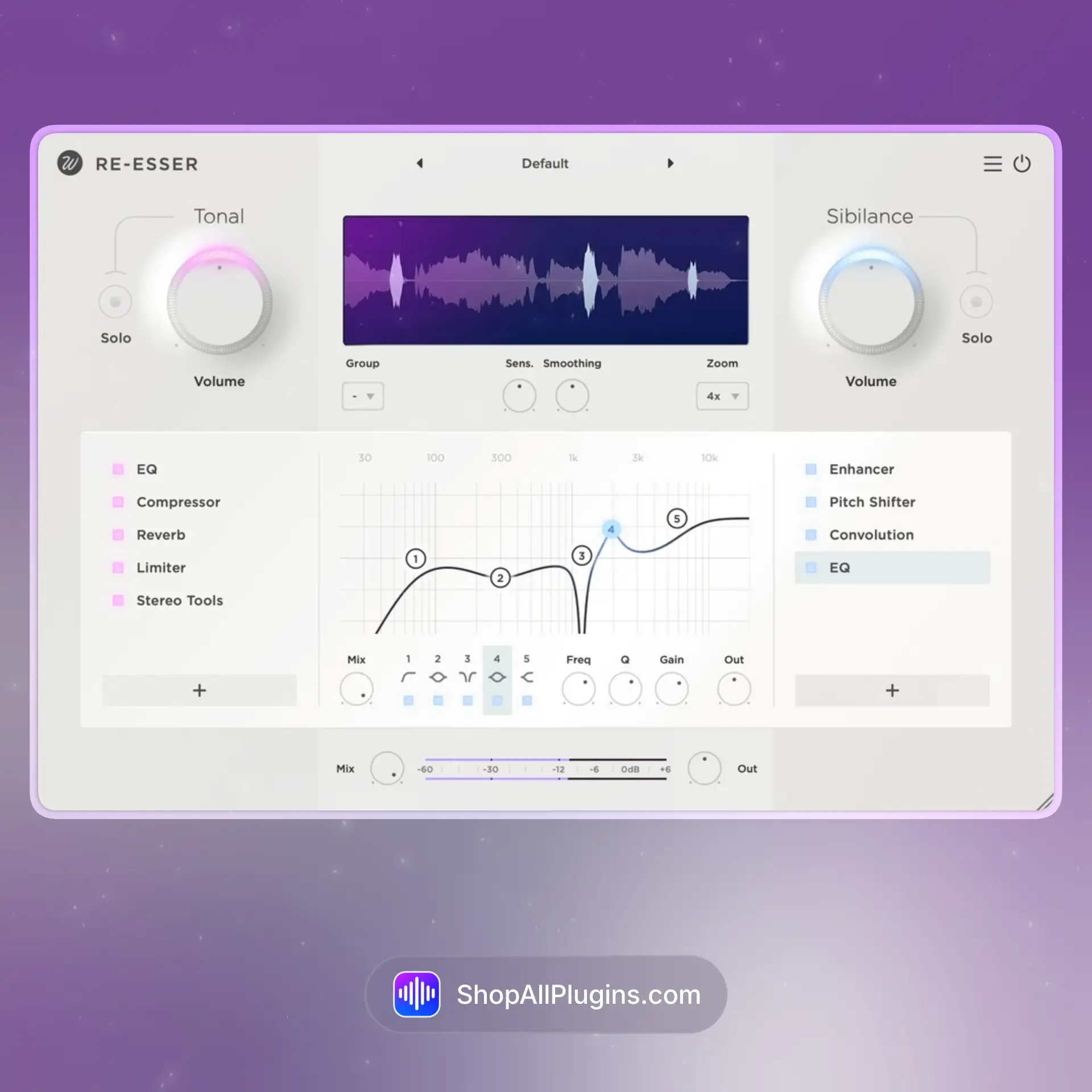
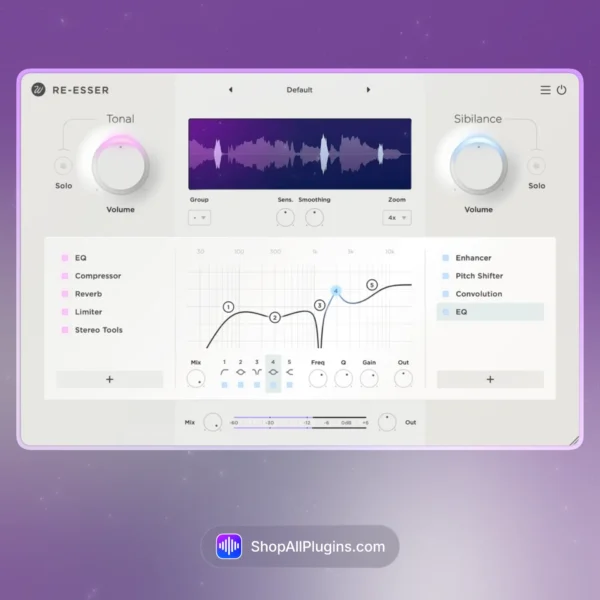
Wavesfactory Re-Esser is a de-esser plugin designed to tame harsh sibilance and sharp high-end in a smooth, natural way, without dulling the vocal or making it feel lispy. It is built for producers and engineers who want fast vocal control for mixing, mastering, and post-production, with an easy workflow that helps you reduce “S”, “T”, and “SH” energy while keeping the vocal bright and present. Re-Esser is also useful on overheads, hi-hats, bright acoustic guitars, and even sharp synth layers when the top end starts poking out.
🎛️ What’s Inside
| Module / Feature |
What it does |
Perfect for |
| Smart Sibilance Detection |
Focuses on harsh consonants in the high frequencies so you reduce sibilance without crushing the whole top end. |
Vocals, voiceover, podcasts, dialogue cleanup. |
| Split-Band Style Control |
Attenuates only the sibilant band instead of pulling down the entire signal, keeping the vocal natural and open. |
Bright modern vocals, pop hooks, RnB leads, crisp rap vocals. |
| Frequency Targeting |
Lets you focus the reduction in the typical sibilance area, so you can dial in the exact range that is bothering you. |
Sibilance control, harsh hats, bright acoustic guitar, sharp synths. |
| Fast Threshold and Amount Workflow |
Quick controls help you set how much reduction happens and when it triggers, without endless tweaking. |
Mixing sessions, tracking, fast vocal chains, tight deadlines. |
| Transparent Gain Reduction |
Designed to sound natural so you can push it harder when needed without obvious artifacts. |
Aggressive vocal compression chains, bright singers, sharp consonants. |
| Low CPU Utility Tool |
Lightweight processing makes it easy to use across lots of tracks in bigger sessions. |
Large projects, stacked vocals, podcast editing, post-production. |
🎯 Why Producers Choose It
💡 Key Benefits
- Clean de-essing that reduces harsh consonants without killing brightness.
- Fast setup for vocal chains in any DAW.
- Mix-friendly results even when vocals are heavily compressed.
- Great beyond vocals for hi-hats, overheads, guitars, and sharp synths.
- Works in major DAWs as a VST, VST3, AU, or AAX audio plugin.
🎨 Best Use Cases
- Pop and RnB vocals that need sparkle but have sharp “S” sounds.
- Rap vocals where compression brings out harsh consonants.
- Podcast and voiceover cleanup for smoother speech.
- Overheads and hi-hats when the top end feels too spiky.
- Acoustic guitar and bright synth layers when the high end is aggressive.
Standout feature: Re-Esser focuses on the harsh sibilant band and reduces it transparently, so your vocals stay clear and modern without losing the air and presence that makes them sound professional.
📋 Technical Specs
| Plugin Formats |
VST, VST3, AU, AAX, 64 bit |
| Windows Requirements |
Windows 7 or later, 64 bit |
| macOS Requirements |
macOS 10.13 or higher, 64 bit, Intel or Apple Silicon |
| CPU Load |
Low (designed as a lightweight vocal utility plugin for multiple instances) |
| Tested DAWs |
Ableton Live 11 and 12, Logic Pro, FL Studio 21+, Cubase 13, Studio One 6+, Reaper, Pro Tools 2024+ |
| Apple Silicon Native |
Yes, native support for Apple Silicon M1 to M4 on supported macOS systems |
✅ Instant Download – fast digital delivery via ShopAllPlugins
✅ License – Wavesfactory Re-Esser activation
✅ Content – de-esser plugin with targeted sibilance reduction for smooth vocals and controlled high end
✅ Workflow – fast, transparent vocal cleanup for mixing, mastering touches, and content creation in any DAW
💡 Pro Tip
If your vocal gets harsh after compression, put Re-Esser after the compressor and aim for small reductions on the loudest “S” sounds. The vocal will stay bright, but the chorus will stop spitting at you.
❓ FAQ
What is Wavesfactory Re-Esser
Wavesfactory Re-Esser is a de-esser plugin designed to reduce vocal sibilance and harsh high-frequency consonants while keeping the vocal clear and natural.
Does Re-Esser work natively on Apple Silicon M1 M2 M3 M4
Yes, Re-Esser supports native Apple Silicon M1 to M4 on supported macOS systems.
Will Re-Esser work in my DAW
If your DAW supports VST, VST3, AU, or AAX 64 bit, you can use Re-Esser in Ableton Live, Logic Pro, FL Studio, Cubase, Studio One, Reaper, and Pro Tools.
Where should I place a de-esser in a vocal chain
A common workflow is after compression, because compression often brings out sibilance. You can also use it before compression if the raw recording is very sharp.
Can I use Re-Esser on instruments
Yes, it works well on hi-hats, overheads, acoustic guitars, and bright synths when the top end needs smoothing.
🏁 Final Word
Wavesfactory Re-Esser is for producers and engineers who want smooth, modern vocals without harsh sibilance. If you need a quick, transparent de-esser that keeps your top end clean for mixing, mastering, and content creation in any DAW, Re-Esser is a practical everyday tool.












 Immediate Digital Delivery
 Reliable Customer Service
 Secure Payments






















Reviews
Clear filtersThere are no reviews yet.